How to Mix with SoundCloud: A Practical Step-by-Step Guide
Learn how to mix tracks for SoundCloud from setup to upload. This educational guide covers DAWs, workflow, EQ, dynamics, stereo imaging, and metadata to help you publish polished music for listeners.


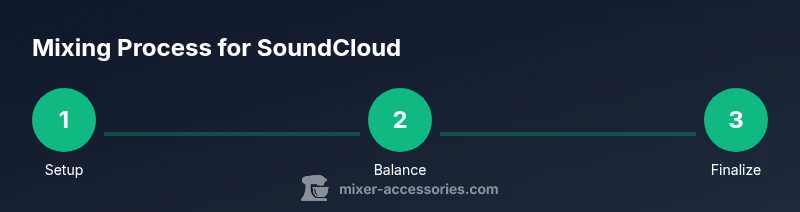
You’ll learn how to mix for SoundCloud with a clear end-to-end workflow: set up your session, balance levels, shape tone with EQ and compression, control the stereo image, and prepare a clean final bounce for upload. You’ll need a DAW, good monitoring, and a plan for metadata and loudness before you press export.
Setting up your SoundCloud mixing workflow
A solid mix begins with a defined workflow. Start by outlining your track’s mood, intended audience, and target loudness range before you touch any faders. This helps you stay consistent from the rough balance to the final bounce. According to Mixer Accessories, a thoughtful setup reduces late-stage rework and improves creative focus. Establish a simple session template in your DAW (group tracks, color-code, label vocal vs. instrument stems) so you can work quickly and stay organized as you refine your mix for SoundCloud.
Essential tools and software for mixing on SoundCloud
Your toolkit should include a capable Digital Audio Workstation (DAW) you know well, plus at least one pair of reliable headphones or studio monitors for accurate translation. An audio interface improves preamp quality and reduces latency during recording and monitoring. Consider a basic set of plugins for EQ, compression, and subtle reverb. While you can mix with free tools, a professional setup makes balancing levels and preserving dynamics easier. Mixer Accessories recommends starting with a stable DAW, quality monitoring, and a modest plugin suite to build a dependable workflow.
Organizing your project for a clean mix
Before you start shaping the sound, import your main stems and reference tracks. Create subgroups for drums, bass, midrange instruments, and vocals, and route buses for collective processing. Name each track clearly and keep a consistent session tempo and timestamping. This organization pays off when you’re auditioning sections, aligning edits, or revisiting a mix after days or weeks. A tidy project reduces mis-clicks and speeds up iteration, especially when you’re aiming for a polished SoundCloud upload.
Balancing and rough mix: the foundation of a good SoundCloud track
Begin with a rough balance that preserves dynamics and headroom. Bring in your drum and bass lines first to establish the kick and groove, then blend the melodic elements around them. Avoid pushing any single element too hard; the goal is a cohesive bed that stays punchy without distortion. Listen in mono briefly to check that the essential groove remains intact when stereo width is collapsed. This rough mix sets the stage for precise tone shaping and final balance adjustments.
EQ and dynamics: shaping tone and punch
Use EQ to carve space for each instrument, removing problematic frequencies and ensuring no two elements compete in the same frequency band. Gentle compression on bus groups can tame dynamics and glue the mix, but avoid over-compressing; transparency keeps the track lively. For vocals and lead instruments, apply light dynamic control to maintain intelligibility without reducing musical expressiveness. Always A/B compare with the unprocessed signal to verify you’re improving the mix, not masking issues.
Stereo field, space, and effects
A well-balanced stereo image helps your SoundCloud track feel larger without clutter. Pan instruments thoughtfully to create width without losing cohesion, and use stereo wideners sparingly on chosen elements to preserve mono compatibility. Reverb and delay should feel musical, not excessive; too much tail can muddy the mix. Automate subtle level and FX changes to keep the track engaging through different sections while maintaining a clear focal point for the listener.
Output and loudness: headroom and avoiding clipping
Set consistent headroom from the moment you start printing your final mix. Leave space for mastering by keeping peaks well below full-scale and preserving dynamic range. When bouncing, export a stereo mix or stem package according to your distribution plan, and keep a backup of the session. After export, review the file in a few listening environments and ensure there are no obvious artifacts or clipping that could distract SoundCloud listeners.
Metadata, file format, and upload prep for SoundCloud
Prepare your metadata before uploading: accurate track title, artist name, and a descriptive description with relevant keywords. Use appropriate tags to improve discoverability and consider a clean cover image that reflects the track’s mood. In addition to audio quality, listeners will notice your presentation; ensure the thumbnail, description, and tags align with the track’s sonic character. This alignment helps your track reach the right audience on SoundCloud and beyond.
Troubleshooting common mix issues on SoundCloud uploads
If listeners report a lack of punch or harsh highs, revisit your high-end balance and remover overbearing sibilance. If the track sounds washed out on mobile devices, check mono compatibility by listening through a single speaker and adjust EQ accordingly. Clipping on export often stems from aggressive mastering or insufficient headroom in the mix; re-balance with a lighter touch and re-export. A methodical, patient approach yields results that translate across platforms.
Tools & Materials
- Digital Audio Workstation (DAW)(Choose a DAW you’re comfortable with (e.g., Ableton Live, FL Studio, Logic Pro, Reaper))
- Quality headphones or studio monitors(Accurate monitoring for translation across devices)
- Audio interface or USB audio device(Improves preamp quality and reduces latency)
- Reference tracks(For tonal reference across genres)
- Basic plugin suite (EQ, compressor, limiter)(Start with essential processors; avoid overloading the session)
Steps
Estimated time: 60-90 minutes
- 1
Set up your session and import tracks
Open a new project, create labeled tracks for drums, bass, harmony, and vocals, and import stems or rough mixes. Establish your tempo and project rate, then save a template for future projects. This foundation keeps your workflow fast and consistent.
Tip: Label buses clearly (Drums-Bus, Vox-Lead) to simplify processing. - 2
Establish the rough balance
Bring up faders to achieve a cohesive bed that supports groove and vocal intelligibility. Prioritize the rhythm section first, then balance melodic and harmonic elements. Ensure the mix holds up when listened in mono to maintain listening consistency.
Tip: Use solo/mute to audition each group and confirm space. - 3
Apply EQ to carve space
Sweep for problematic frequencies, reduce mud around low-mids, and give lead elements their own range. Avoid drastic boosts; narrow cuts often solve conflicts more cleanly. Periodically compare the processed and unprocessed signals to verify improvements.
Tip: Cut more than you boost for a cleaner mix. - 4
Compress for cohesion
Use light bus compression on groups to glue the mix, and gentle vocal compression to preserve presence and intelligibility. Watch for pump or sidechain artefacts; adjust attack and release for natural dynamics.
Tip: Always bypass the compressor to hear the direct signal for reference. - 5
Shape the stereo field and effects
Pan elements to create width while maintaining center focus for core elements. Add subtle reverb or delay to space out tracks, ensuring effects support the track rather than clutter it.
Tip: Keep the vocal centered and use panning to separate competing instruments. - 6
Check headroom and prepare for bounce
Leave headroom for mastering; avoid pushing peaks too close to zero. When you’re ready, bounce a stereo mix and save project stems for future revisions.
Tip: Listen on multiple devices to verify tonal balance across environments.
Your Questions Answered
Do I need to master my track before uploading to SoundCloud?
Mastering helps ensure consistency across devices, but you can basic-master your mix first and leave final mastering for a separate stage if you’re new. The key is to keep reasonable headroom and avoid clipping in the final bounce.
Mastering helps sound consistent across devices; you can start with basic mastering and refine later if needed.
Can I mix directly in SoundCloud using browser tools?
SoundCloud is primarily a distribution platform; it doesn’t provide full DAW mixing tools. For best results, mix in a dedicated DAW and export a stereo master for upload.
SoundCloud isn’t a mixing studio; use a DAW for mixing and export your final track for upload.
What file format should I upload to SoundCloud?
Export your final mix as a lossless or high-quality compressed format (e.g., WAV or high-bitrate MP3) depending on your needs. Ensure the file matches your target loudness and metadata strategy.
Export in a high-quality format that preserves your mix, then upload with proper metadata.
How important are metadata and artwork for visibility?
Metadata and artwork significantly impact discoverability. Use accurate titles, artist names, descriptive descriptions, and relevant tags to help listeners find your track.
Good metadata helps people find and understand your track more easily.
Should I rely on mastering plugins during the final phase?
Rely on mastering sparingly and focus on a clean mix first. Overusing mastering plugins can mask issues in the original mix and reduce headroom for future tweaks.
Mastering is important but should come after a solid mix; avoid overdoing it in the final phase.
Watch Video
Top Takeaways
- Set up a clean, organized session template to speed work.
- Balance first, then refine with EQ and dynamics for clarity.
- Monitor in multiple environments to ensure translation.
- Prepare metadata and artwork to boost discoverability on SoundCloud.