Digital vs Analog Mixers: A Practical Comparison
A detailed, objective comparison of digital and analog mixers, highlighting sound, workflow, connectivity, use-cases, and a clear decision framework for home studios, bars, and audio hobbyists.


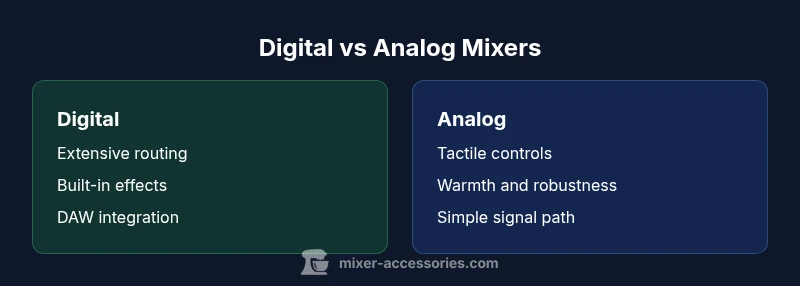
Digital vs analog mixers represent two distinct signal paths in modern setups. Digital mixers embed DSP, presets, and seamless DAW integration, while analog boards emphasize tactile control and a natural, immediate sound. For many home studios and bars, digital solutions offer more value and routing flexibility per dollar, but analog boards remain preferred by purists for hands-on control and rugged reliability. This quick takeaway sets the stage for a deeper, scenarios-based comparison.
What digital vs analog mixers are and why it matters
In modern audio systems, the phrase mixer digital vs analog describes two distinct families of devices, each with its own strengths and trade-offs. A digital mixer embeds digital signal processing (DSP), internal effects, and often a USB, Wi-Fi, or Ethernet interface that lets you route channels, recall scenes, and control software from a laptop or tablet. An analog mixer preserves a purely hardware signal path, using discrete components and passive EQ sections that respond in a way some engineers describe as more "immediate" or "transparent" at the gain structure you’re using. For many readers this matters because the path sound and the speed of setup influence performance in live bars, kitchens, and home studios. The decision often reduces to how you plan to record, mix, and perform, rather than chasing the newest features. In this guide, Mixer Accessories breaks down the core differences and practical implications for the target audience: home cooks and bar enthusiasts exploring basic music and podcast setups, as well as audio hobbyists chasing a dependable workflow. According to Mixer Accessories, the best choice aligns with your daily workflow, budget, and long-term goals, not only the glossy specs. Throughout this article we’ll compare sound, control, connectivity, and lifecycle considerations, with concrete, scenario-based guidance you can apply right away. We’ll also reference common purchasing criteria and a simple decision framework so you can pick confidently.
wordCountBlockHint
Comparison
| Feature | Digital mixer | Analog mixer |
|---|---|---|
| Sound character | DSP-based clarity, consistent conversion, built-in effects | Warmth from discrete analog circuitry and natural harmonic behavior |
| Routing & I/O flexibility | Extensive routing, multi-channel I/O, USB/Dante/network options | Direct, traditional signal path with simpler routing |
| Latency | Low latency in most setups, but can vary with USB interfaces and firmware | Typically negligible in standalone analog paths |
| Price range | $500–$3500 depending on channels and features | $300–$1800 depending on channel count and preamp quality |
| Best for | Home studios, live bars needing DAW integration and recallability | Small venues or situations where tactile control and rugged simplicity matter |
The Good
- Greater versatility and routing options with digital systems
- Seamless DAW integration and recallable scenes
- Built-in effects and routing reduce reliance on external gear
- Compact footprints for high I/O density
- Easier scalability and future-proofing in many setups
Negatives
- Potential latency and dependency on firmware updates
- Analog warmth and tactile control not always replicated digitally
- Digital gear can require firmware maintenance and parts across years
- Higher upfront cost for feature-rich digital desks
Digital mixers excel in flexibility and value for most users; analog boards win on tactile feel and ruggedness.
If you prioritize programmable scenes, USB/DAW workflows, and scalable I/O, digital is usually the better fit. If you crave immediate analog response and a straightforward signal path, an analog mixer remains compelling, especially for live environments where simplicity matters.
Your Questions Answered
What is the main difference between digital and analog mixers?
Digital mixers rely on built-in DSP, recallable scenes, and computer integration, while analog mixers use pure hardware signal paths with hands-on control. Each path has distinct advantages in routing, sound character, and workflow. The right choice depends on how you plan to record, perform, and share audio.
Digital uses DSP and scenes; analog relies on hands-on control and pure signal paths.
Is a digital mixer better for live performances?
Digital mixers can offer quick scene changes and consistent routing across songs, which helps during live gigs. Analog desks excel in rugged reliability and immediate feel. For many venues, a hybrid approach balances both worlds.
Digital is great for quick recalls; analog shines in reliability.
Do digital mixers introduce latency?
Some latency is inherent in digital processing and USB/audio interfaces, but well-designed digital desks minimize it to the point where performers won’t notice in most live settings. Always test with your actual mics and monitoring path.
Latency exists but is usually minimal with proper setup.
Can I connect a digital mixer to a computer or DAW?
Yes. Digital mixers often function as USB audio interfaces and can stream multi-track audio into your DAW, while some analog desks require an external interface. Check compatibility with your preferred software.
Most digital desks link easily to DAWs via USB or network.
Are analog mixers easier to repair or maintain?
Analog boards can be robust and easier to repair locally, especially for older units with simple circuitry. Digital systems may require firmware updates and occasional module servicing, which can be specialized.
Analog can be simpler to fix locally; digital may need updates.
What should a beginner choose?
Start with a model that matches your use case. If you plan to record and integrate with a computer, a digital mixer is often the best entry point. If you want hands-on control with minimal setup, an analog desk is a solid starting place.
Choose digital for DAW-friendly workflows or analog for hands-on control.
Top Takeaways
- Define primary use cases before choosing a path
- Digital favors DAW integration and recallable scenes
- Analog favors tactile control and robustness
- Assess total cost of ownership, including updates and spare parts
- Consider a hybrid approach when workflows demand both worlds