Analog Mixer vs Digital Mixer: A Practical Guide for 2026
Compare analog vs digital mixers for home studios and live sound. This in-depth guide covers tone, routing, latency, effects, maintenance, and ownership costs to help you decide the best path for your setup.


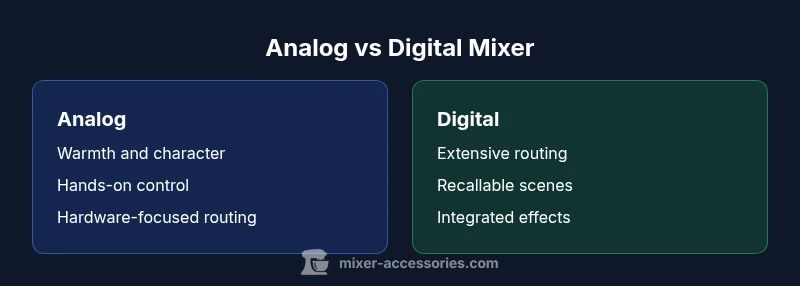
Analog mixer vs digital mixer: your choice hinges on tone, workflow, and budget. Analog mixers deliver warm saturation, hands-on control, and hardware reliability, while digital mixers offer extensive routing, recallable scenes, and built-in effects. For live sound and home studios, weigh color and cost against flexibility and future-proofing. Mixer Accessories analyzes these trade-offs to help you decide which path fits your setup.
The Core Difference: Analog vs Digital
When you hear the term analog mixer vs digital mixer, you’re looking at two distinct signal paths and design philosophies. An analog mixer processes audio signals entirely in the electrical domain with discrete components, delivering a tactile, hands-on mix experience. A digital mixer, by contrast, routes audio through a digital engine, using software to perform routing, effects, and channel recalls. This distinction matters not only for sound quality, but for workflow, integration with a computer or DAW, and how you approach maintenance. For many hobbyists and professionals alike, the choice is less about “which sounds better” and more about which path aligns with your goals, room, and daily use. According to Mixer Accessories, the decision often comes down to how you value warmth and immediacy versus flexibility and recallability in real-world scenarios.
Tone, Color, and the Signal Path
The tone of an analog mixer is heavily influenced by its preamps, EQ curves, and the natural saturation that occurs when signals pass through discrete circuits. This can translate to a perceived warmth and musical glue, especially on drums and guitar-centric rigs. Digital mixers, meanwhile, aim for clean, transparent paths with programmable EQs and dynamics that are consistent from one session to the next. If you crave a specific “analog flavor,” many digital boards include emulation modes or circuits that approximate that color, but the core path remains digital. This tonal distinction often guides genres and settings: live bands chasing “glue” versus studios prioritizing repeatable, studio-grade processing. Mixer Accessories notes that taste is subjective, and the best choice may involve a hybrid approach—using an analog front-end with a digital mixer’s routing flexibility in the back end.
Processing, Routing, and Built-in Features
Analog mixers rely on external outboard effects and outboard dynamics for processing. They typically offer straightforward, hardware-based routing without the overhead of complex menus. Digital mixers bundle DSP-based dynamics, EQ, dynamics, and a suite of effects right on the box. This layer of processing can simplify setup, enable quick scene recall, and integrate with DAWs via USB or Ethernet. However, the more features you enable, the more you’ll pay in CPU load and potential latency. In practice, digital mixers shine when you need multi-channel effects, scene recalls, and networked control across a venue or studio. The Mixer Accessories team emphasizes matching the processing needs to your live workflow and the complexity you’re comfortable managing.
Latency, Monitoring, and Real-Time Control
Latency is a critical factor for live performers and broadcasters. Analog paths are essentially zero-latency, since you’re working with a physical signal chain. Digital mixers introduce latency due to A/D and D/A conversion, DSP processing, and network routing. Modern digital systems minimize this latency, but it remains a consideration for mic’d performers or musicians who rely on precise timing. Monitoring options also differ: analog paths offer direct monitoring, while digital setups may require cues via headphone or in-ear monitors. The right balance depends on your stage layout, the number of performers, and your tolerance for tiny timing discrepancies.
Preamps, Converters, and Noise Considerations
Preamps in analog consoles contribute color and nuance, especially with modest gain and dynamic material. Digital mixers rely on high-quality A/D converters and programmable gain staging. In practice, noise floors and headroom are more about the overall system design than single-component choices. If pristine transparency matters, you’ll want to scrutinize the converter specs and the analog front-end of a digital mixer. Conversely, if you prioritize the character of your inputs (vocals with warmth, instruments with saturation), an analog mixer may deliver the feel you’re after. Mixer Accessories cautions to evaluate both the gain staging and the interface to your recording chain.
Reliability, Maintenance, and Longevity
Analog mixers are robust, with fewer moving parts tied to digital firmware. Their maintenance generally centers on occasional component aging and the need for clean, well-kept circuitry. Digital mixers depend on firmware updates, software compatibility, and occasional module replacements. While updates can expand features, they also introduce version drift and the possibility of discontinued support. For a project studio or bar setup, weigh the cost of potential updates and service cycles against the risk of hardware obsolescence. The Mixer Accessories perspective is that longevity comes from selecting a platform with a clear update path and readily available spare parts.
Costs of Ownership: Upfront vs Long-Term
TCO for analog and digital mixers diverges over time. Analog models can offer lower upfront prices and fewer recurring costs, but may require external gear (outboard effects, EQs, compressors) to achieve similar flexibility. Digital mixers often carry higher upfront prices due to built-in DSP and features, yet they reduce the need for external gear through integrated effects, routing, and recallable scenes. Long-term costs also include software licenses, firmware updates, and potential service charges. A practical approach is to map your typical gigs or sessions and estimate how often you’d benefit from built-in features versus external gear, then translate that to a budget range.
Practical Scenarios: When to Choose Analog vs Digital
In a small home studio, an analog mixer can provide an approachable, tactile workflow with a pleasant sonic character and quick hands-on control. In a live bar setting, a digital mixer’s chameleon-like routing, remote control, and scalable presets can reduce setup time and support complex shows. Studios that work with DAWs may prefer digital for seamless session recall and integration, while purists who value a classic warm vibe might lean toward analog. Mixer Accessories highlights that the best choice is often situation-specific rather than dogmatic: assess your most common tasks, room acoustics, and the level of control you need.
Quick Setup Tips and Workflow Patterns
Start with a clear signal path: instrument->preamp->EQ/dynamics->sends->main bus. For analog, keep subgroups simple and use outboard effects sparingly to preserve headroom. For digital, plan your scene architecture first: define input channels, bus routes, and named scenes for your typical gigs. Make sure to test latency with live mics and click tracks, and use a reliable monitoring path to avoid feedback. Regularly back up scenes and firmware configurations to protect your investment.
Decision Framework: A Simple Checklist
- What is your primary use: live venues, home recording, or a hybrid setup?
- How important is recallable scenes and built-in effects?
- Do you need ultra-low latency for performers?
- How much external gear are you willing to manage?
- What’s your budget for upfront cost and ongoing maintenance?
Comparison
| Feature | Analog mixer | Digital mixer |
|---|---|---|
| Tone/color characteristics | Colorful, harmonic saturation from analog front-end | Neutral, configurable color with software-driven EQ |
| Routing and processing | Hardware-based routing; external effects often required | DSP-based routing with built-in EQ, dynamics, effects |
| Latency/monitoring | Near-zero monitoring latency in analog paths | Low, configurable latency but present due to DSP and conversion |
| Preamps/converters | Analog preamps with inherent character | High-quality A/D converters; software-controlled gain staging |
| Recallability | Limited to physical setup; save by re-patching | Extensive recall of scenes, channels, and settings |
| Reliability/maintenance | Fewer software dependencies; robust hardware | Firmware updates and potential obsolescence concerns |
The Good
- Immediate hands-on control and tactile feedback
- Warmth and musicality from analog signal path
- Lower ongoing software maintenance in some setups
- Strongly linear performance without dependency on computer
Negatives
- Limited scalability without additional hardware
- External effects and routing can complicate setup
- Higher upfront cost for full analog rigs
- No recallability or DAW integration by default
Digital mixers generally offer greater flexibility and value in modern setups; analog remains preferred when warmth and tactile control are paramount
If you prioritize ease of use, complex routing, and session recall, a digital mixer is usually the better pick. Choose analog when you want a known sonic character and direct, hands-on control. Your decision should align with your typical gigs, DAW workflow, and willingness to manage firmware updates.
Your Questions Answered
What is the biggest practical difference between analog and digital mixers?
The core difference lies in signal processing: analog mixers pass signals through hardware components for warmth and immediacy, while digital mixers process signals in software, offering extensive routing, effects, and recallable scenes. Your choice should reflect how you work and what you value most in a mix.
The big difference is how they handle signal processing: hardware warmth on analog vs software-driven flexibility on digital.
Do digital mixers sound colder than analog ones?
Not inherently. Digital mixers can sound clean and transparent, but many include high-quality analog front-ends and emulations to approximate analog warmth. Your results depend on the model, the front-end, and how you dial in EQ and dynamics.
Digital can be clean, but you can get warm tones with the right front end and processing.
Can you use an analog mixer with a digital stage box or computer interface?
Yes. It’s common to connect an analog mixer to digital stage boxes or a computer interface via a master bus or via direct outputs. This hybrid approach lets you enjoy analog warmth while leveraging digital routing for DAW integration.
Absolutely, you can bridge an analog mixer to a digital stage box or computer interface.
Are digital mixers easier to learn for beginners?
Generally yes. Digital mixers offer intuitive screen-based menus, presets, and drag-and-drop routing, which can reduce the learning curve compared to configuring multiple outboard devices in an all-analog setup.
Usually easier to learn because of presets and clear menus.
Is latency a concern for live sound with digital mixers?
Latency is a consideration, but modern digital mixers minimize it to where it’s often negligible for most live performances. Always test with your performers and monitoring system before a big show.
Latency is usually small but should be tested with your setup.
Do analog mixers require more maintenance than digital ones?
Analog gear tends to be rugged, with fewer firmware considerations, but may require regular cleaning and occasional component checks. Digital systems rely on firmware updates and compatible software, which can demand occasional upkeep.
Analog needs less software upkeep; digital needs firmware attention.
Top Takeaways
- Prioritize your primary use case (live vs studio)
- Evaluate tone goals: warmth vs transparency
- Plan routing and recall needs before buying
- Consider maintenance and upgrade paths
- Match price-to-value with your workflow
- Test both paths in your actual environment