How to Mix with Cross DJ: A Practical Guide
Learn how to mix with Cross DJ using a mixer. This educational guide covers setup, beatmatching, cueing, crossfader techniques, and troubleshooting for home, bar, and studio setups. Practical steps, safety tips, and real-world examples from Mixer Accessories.


You will learn how to mix with Cross DJ by setting up your mixer, syncing tempo, cueing tracks, counting bars, and using hot cues and the crossfader. Key requirements: a supported DJ controller or mixer, Cross DJ software, properly labeled channels, and safe gain staging. This quick guide previews essential workflow.
Why Cross DJ and a Mixer Work Well Together
According to Mixer Accessories, combining Cross DJ with a capable mixer gives you tactile control over cueing, fade-ins, and effects while keeping your digital library organized. This synergy makes it easier to execute clean transitions, match beats, and shape sound with EQ and FX. If you’ve ever wondered how to mix with cross dj, start with a solid setup and a clear workflow. The goal is to move beyond clicking and rely on hands-on adjustments that translate into better vibe and consistency for your audience.
Core Concepts: Beatmatching, Phrasing, and Cueing
Understanding the core concepts is essential before you spin your first track. Beatmatching is the practice of aligning BPMs and matching musical phrasing so transitions feel seamless. Phrasing (or bar structure) helps you plan changes at natural musical moments, usually every 8 or 16 bars. Cueing lets you prepare the next track in your headphones and set hot cues for quick jumps. In Cross DJ, you’ll manage each deck with separate FX, filters, and loop controls. Master the habit of listening in your headphones first, then releasing into the main mix. Mixer Accessories analysis shows that learners who practice planning phrasing and cueing tend to deliver smoother sets.
Setup Checklist: Hardware, Software, and Cabling
A reliable setup is the foundation for success: a computer or tablet with Cross DJ, a mixer with a functional crossfader, at least two channels, quality headphones, and powered monitors or good speakers. Check connections: outputs from your computer to the mixer, and from the mixer to the speakers. Calibrate gain staging so the loudest parts stay below clipping. In Cross DJ, route each deck to a dedicated mixer channel and set the master and booth outputs appropriately. Ensure your USB and power supplies are stable to avoid dropouts during a session.
The Mixing Workflow: Step-by-Step Overview
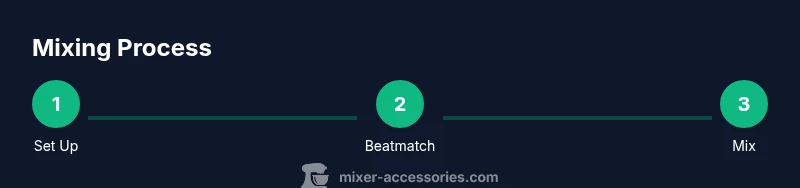
Learning how to mix with Cross DJ follows a repeatable workflow. Start with a quick setup, then load a track on Deck A and tempo-match to your target BPM. Prepare Deck B in headphones, set cue points, and listen for phrasing. When ready, begin your transition by fading from Deck A to Deck B using the crossfader, while EQing to carve space for the incoming track. Adjust volume and FX to taste, and monitor the overall level to maintain a clean, non-clipping sound. Practicing this loop builds muscle memory for faster, smoother transitions.
Advanced Techniques with Cross DJ
As you grow more comfortable, you can layer in advanced techniques like beat-juggling, back-cueing, and FX automation. Use hot cues to jump between phrases, experiment with EQ sweeps to emphasize bass or highs, and apply subtle filter sweeps during transitions to add movement. Learn to use loops and hot loops to extend or shorten sections, enabling creative transitions that fit the energy of the room. Remember, practice with intention: set goals for each set and review after to identify opportunities for refinement.
Troubleshooting Common Issues
If you encounter latency, mis-routed audio, or rendering glitches, verify that your audio interface is properly selected in Cross DJ, confirm deck routing to separate mixer channels, and check cable integrity. Peaking master levels indicate you need to reduce gain or adjust EQ. If cueing is off, re-check headphones monitoring and ensure cue mix is audible but not overpowering. Occasional USB dropouts can be mitigated by using a powered USB hub and avoiding daisy-chained hubs.
Safety, Ergonomics, and Best Practices
Set comfortable monitor levels and take short breaks to protect your hearing during long sessions. Arrange cables to minimize trip hazards and create a clean workspace to improve focus. Keep a backup plan: know where your backup USB drive or streaming playlist is, and have a spare charger. The practice of safe, repeatable setup reduces on-stage anxiety and helps you stay in the flow.
Tools & Materials
- Cross DJ software (latest version)(Ensure you have a valid license and driver updates)
- DJ mixer with crossfader(At least 2 channels; verify master output works)
- DJ controller (optional)(Helps jog wheel control and tactile feedback)
- Headphones (quality, closed-back)(Prefer 3-4 prong connectors with 1/4" and 1/8" adapters)
- Speakers/Monitors(Active monitors or powered speakers suitable for room size)
- Cables (RCA/TRS)**(Outputs to mixer and from computer interface)
- Computer or laptop with USB(Stable power, adequate CPU/RAM for Cross DJ)
- Audio interface (optional)(If your mixer lacks built-in soundcard)
Steps
Estimated time: 60-90 minutes
- 1
Power up and connect
Power on all devices. Connect the computer to the mixer, then connect the mixer outputs to speakers. Confirm the Cross DJ audio routing shows two active decks. This step ensures clean, interference-free sound from the start.
Tip: Label cables at both ends to avoid confusing wrong channels. - 2
Configure audio routing
In Cross DJ, assign Deck A and Deck B to separate mixer channels. Set the master output to your main speakers and the headphones cue to your monitoring channel. Check that monitoring is active so you can pre-listen without sending sound to the room.
Tip: Use a dedicated cue mix so you can hear the deck without affecting the main mix. - 3
Load first track and grid
Load Track A on Deck A and analyze its BPM. If needed, adjust the beat grid so the grid aligns with the track’s tempo. A stable grid makes beatmatching easier later in the session.
Tip: If the grid is off, use manual beat align while listening in headphones. - 4
Prepare second track
Load Track B on Deck B, set cue point, and set a beat grid similar to Track A. Make sure Track B’s key and tempo are within a reasonable range to avoid jarring shifts.
Tip: Set a start cue on Track B to begin your transition on a deliberate beat. - 5
Beatmatch and cue
Adjust tempo to align BPMs, then fine-tune with the jog wheel or nudge control. Use headphones to confirm beat alignment before bringing Track B into the mix.
Tip: Count bars (usually 8 or 16) to ensure precise alignment during transitions. - 6
First transition
Move the crossfader toward Deck B while gradually reducing Deck A’s level. Simultaneously EQ to carve out space, focusing on kick and bass. Maintain a clean level to prevent distortion.
Tip: A slow, deliberate crossfade often sounds smoother than a sudden cut. - 7
Refine with EQ and FX
Use high and low EQ to sculpt each track’s presence. Apply light FX (like reverb or delay) only when it serves the groove, not as a crutch. Record a short test mix to review later.
Tip: Avoid overusing effects; subtlety often yields the best feel. - 8
Record and review
Record the session to assess timing, level balance, and phrasing. Note what worked and what didn’t, then plan targeted practice sessions to improve.
Tip: Keep a simple practice log with goals for each session.
Your Questions Answered
What hardware do I need to start using Cross DJ?
You need a computer or device that runs Cross DJ, plus a mixer with a crossfader, headphones, and speakers. Ensure compatibility and drivers are up to date. A controller can help, but it’s not mandatory.
You need a computer with Cross DJ, a mixer with a crossfader, headphones, and speakers. A controller helps but isn’t required.
How do I beatmatch if BPMs don’t align?
Use tempo sliders to bring BPMs close, then nudge with the jog wheel while listening in headphones to lock the beat. Fine-tune until the downbeats align.
Slide the tempo, then nudge with the jog wheel while listening in headphones until the beats align.
Can I use Cross DJ without a hardware mixer?
Yes, you can use Cross DJ with software-only setups or a basic controller. However, a hardware mixer gives tactile control, which many find essential for precise timing and feel.
You can run Cross DJ without a hardware mixer, but hardware gives you better timing and control.
What if the crossfader feels stiff?
Check crossfader curve settings, clean contacts with proper contact cleaner, and ensure it isn’t worn out. If needed, consult the mixer manual for maintenance steps.
Try adjusting the curve, clean the contacts, and replace if worn.
How can I protect my hearing during practice?
Keep monitoring levels modest, take regular breaks, and use cueing at moderate volumes. Consider using limiter software or hardware to cap levels during practice.
Keep volume reasonable, take breaks, and use cueing at safe levels.
Auto-mixing vs manual mixing—which is better for learning?
Auto-mixing helps beginners build confidence and timing. For mastery, practice manual mixing to develop precise beatmatching and phrasing control.
Auto helps you practice, but manual mixing builds real skill.
Watch Video
Top Takeaways
- Set up a clean hardware/software chain before mixing.
- Beatmatch by ear and plan phrasing for smooth transitions.
- Use the crossfader to control transition dynamics.
- Maintain proper gain staging to avoid distortion.
- Review practice with recordings to track progress.