How to Use Effects on a Mixer: A Practical Guide
Learn how to use effects on a mixer with step-by-step guidance for home studios and live setups. From reverb to delay, get practical tips, routing basics, and presets from Mixer Accessories.


To use effects on a mixer, route your audio through the effects processor, select the desired effect, adjust parameters, and apply it to individual channels or the master mix. Start with subtle settings, listen in context, and save presets for common tasks. Always ensure proper gain staging to avoid distortion or noise.
What does 'effects' on a mixer really do?
Effects on a mixer alter the character of the signal after it leaves the source. They add space, color, timing, or texture to vocals, instruments, or ambient sound. The result can be dramatic or subtle, depending on settings. According to Mixer Accessories, the most natural results come when you treat effects as an enhancement rather than a spice: keep the dry signal intact and blend in the effect gradually. A well-chosen effect can transform a dull pass-through into a polished, present sound without changing the fundamental tone of the source. Before turning knobs, identify the source's role in the mix and the space where the sound will live. This awareness helps you decide whether you need a touch of reverb to create space, a short delay to add rhythm, or a gentle chorus to widen a guitar track. The goal is clarity and musical intent, not gimmickry. Practical experimentation beats theory alone, so start with a single effect on one channel and compare the difference with the dry signal.
Routing basics: where to put effects in your signal path
A solid understanding of routing is the foundation of effective mixer effects. Most mixers offer two common paths: insert effects and send/return (aux) effects. Insert effects process the signal directly in line with the channel, which is ideal for dynamics or time-based reductions that you want to feel on the source itself. Send/return routes the signal to an external processor and returns the processed sound to the mix, allowing you to blend wet and dry signals independently. This setup is essential for layering multiple effects on a single source without overdriving the main bus. When you’re starting out, practice using a single send to a reverb and adjust the return level until the dry signal remains dominant but the mix gains space and depth. As you gain confidence, add a second send for a delay or modulation effect. If your mixer supports a dedicated effects bus, use it to keep your main channel strip clean while maintaining flexible control over effect levels.
Setting up a basic wet-dry mix for vocals and instruments
A practical starting point is to decide which source will receive the effect and on which channel or bus. Route the signal to an external processor via a dedicated auxiliary send, then return the processed signal to a separate bus or the main mix. Start with a dry/we dry ratio around 10–20% wet and adjust in small increments while listening in context. For vocals, a subtle plate or hall reverb can add space without washing out intelligibility; for instruments like guitar or keys, a touch of delay or chorus can add character without cluttering the phrase. As you tweak, dim the unprocessed signal slightly to keep the mix cohesive. Remember to check your gain staging at every step to avoid peak overs and unwanted noise. Mixer Accessories emphasizes that restraint is the key to tasteful effects, especially in live environments.
Tuning effects for different sources: voice, guitar, and keyboards
Different sources demand different effect treatments. Vocals benefit from moderate compression before reverb to maintain intelligibility, while guitars can tolerate longer delay times and wider choruses to create lush textures. Keyboard pads often benefit from longer, lush reverbs and subtle modulation to mimic atmospheric environments. When dialing in effects, start with a clean baseline, then add one parameter at a time. Pay attention to phase interactions if you’re stacking multiple effects, as phase misalignment can create hollow or muddy tones. If your mic picks up room reflections, reduce reverberation gain or choose a small-room preset to avoid sonic chaos. The critical practice is to listen in the context of the full mix, not in isolation.
Mixer Accessories analysis shows that most successful setups prioritize a clear, dry core and use effects as seasoning rather than a replacement for good source tone.
Using sends, returns, and groups for multiple effects
Many mixers enable multiple sends and returns, allowing you to build a library of effects for various sources. Create separate returns for reverb, delay, and modulation, then route each return to a dedicated bus or the main stereo pair. This approach gives you independent control over how much effect each source receives and preserves overall balance. Group related tracks (e.g., all vocal channels) to share an effects chain, which simplifies automation and recall. When stacking effects, consider the order carefully: dynamic processors often precede time-based effects, while modulation tends to come after time-based effects for a more musical result. Always audition your chain at performance levels to ensure the effect remains musical rather than overpowering.
For live use, keep a spare preset for quick changes, such as switching from a dry vocal to a heavily processed chorus patch for a chorus version of the song.
Common mistakes and how to avoid them
A few frequent missteps can derail even the best effect ideas. First, overloading the master bus with too many high-gain effects creates hiss, mud, and feedback. Second, failing to adjust gain staging between dry and wet signals causes volume discrepancies that distract listeners. Third, neglecting monitoring during setup leads to misjudging how the effect actually sounds in the room or on the PA. Fourth, using too many effects in quick succession can blur articulation and reduce clarity. To avoid these, set a clear dry baseline, add one effect at a time, and compare the processed signal to the original. Use headphones or studio monitors at performance levels to ensure the effect translates well in real-world scenarios. Finally, save your favorite effect chains as presets so you can recall them precisely in future sessions. The Mixer Accessories team recommends keeping the signal path simple at first and layering only when the essential musical need is clear.
Presets and saving your favorite settings
Saving presets is a time-saver and reduces decision fatigue during performances. Name presets with practical, memorable terms like “Vocal Tight Hall” or “Guitar Slap Plate,” and store them on the mixer if it supports on-board memory, or in your DAW or preset manager if you’re using a computer-based workflow. When recalling presets, verify that the source levels remain appropriate and re-adjust wet/dry balances to match the room environment. Document any minor tweaks you make so you can reproduce them consistently. Regularly review saved presets to prune those that no longer serve your current setup. Practically, maintain a small library of go-to patches for different gig contexts and update them as your rig evolves.
Practical examples for home studios and bar setups
In a home studio, you might run a vocal mic through a plate reverb with a touch of short delay for depth, while keeping the dry signal prominent for intelligibility. For a small bar rig, use a lightweight room reverb and a gentle delay on backing tracks or DJ accents, with careful gain staging to prevent feedback. A podcast setup can benefit from a de-esser paired with a subtle compressor before the reverb to keep voice clarity stable. In all cases, begin with conservative effect levels and build up gradually while listening on the actual speakers you’ll use. The goal is consistent, musical sound that supports the performance, not a showcase of gadgetry. The Mixer Accessories team recommends frequent listening checks and keeping your chain organized to avoid a chaotic signal path.
Tools & Materials
- Mixer with aux sends and bus routing(At least 2 aux sends for parallel effects)
- External effects processor or compatible plugin(Choose reverb, delay, chorus, etc.)
- 1/4-inch TRS or XLR cables(For sends/returns and proper grounding)
- Headphones or studio monitors(Critical for accurate listening)
- DAW or audio interface (optional for computer-based setups)(Use if integrating plugins)
- Presets notebook or digital preset manager(Helpful for saving settings)
Steps
Estimated time: 60-90 minutes
- 1
Define your use-case
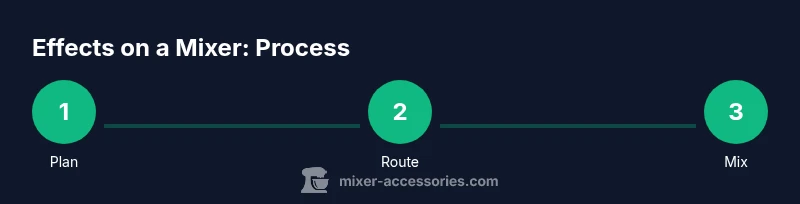
Identify whether the primary need is vocal enhancement, instrument shimmer, or ambient sound. Establish the goal: more space, added bite, or texture. This upfront planning helps you choose the right effects and routing. Consider the room and audience as you decide how much effect to apply.
Tip: Write a quick note on the intended sound before touching knobs. - 2
Check routing and enable aux sends
Verify that your mixer has active aux sends and that you know which channel feeds which send. Engage the sends you plan to use and set initial levels low to prevent sudden loud bursts. This step ensures you can control the effects independently from the dry mix.
Tip: Label each send so you remember which effect it feeds. - 3
Connect your effects processor
Run the send output from the chosen channel(s) to the input of the external effects processor and route the processor’s output back into a dedicated return or bus. Ensure cables are secure and the processor is powered. Start with a conservative level to avoid immediate clipping.
Tip: Use balanced cables when possible to minimize hum. - 4
Dial in a dry/wet balance
Set the effect at a low wet level and gradually increase while listening in context with the full mix. Keep the dry signal dominant for intelligibility unless the effect’s purpose is to create a specific texture. For vocals, aim for subtle enhancement rather than domination.
Tip: Compare with the dry signal by muting the effect periodically. - 5
Tune effect parameters in context
Adjust parameters like decay time, feedback, rate, and depth while playing the source material. Make changes one knob at a time and listen to how it interacts with other instruments. A small adjustment can dramatically change the perceived space or texture.
Tip: Work with a reference track to keep a consistent tonal target. - 6
Fine-tune gain staging
Check input, send, and return levels so that no stage introduces clipping or excessive noise. Use meters and listening checks to ensure the main mix remains clear. If you hear hiss or fizz, reduce levels or try a different preset.
Tip: Always monitor with the same gear you’ll perform with. - 7
Create and save a preset
Once you’re satisfied with the sound, save the settings as a preset. Give it a descriptive name and note essential parameters for quick recall. Presets speed up live performances and ensure consistency across sessions.
Tip: Document the intended source, room, and use-case for each preset. - 8
Test across contexts
Play through the full mix in the actual environment where you’ll perform or record. Check how effects behave on different sources and adjust if needed. Rehearse toggling the effect on and off to gauge its impact quickly.
Tip: Test with both quiet and loud moments to ensure readability. - 9
Review and refine
Periodically revisit effect choices. As you accumulate more presets, update and prune. Small refinements over time yield a more cohesive and reliable sound across gigs and recordings.
Tip: Keep a running log of tweaks for future sessions.
Your Questions Answered
What is the difference between insert and send effects on a mixer?
Insert effects process the signal within the channel path, ideal for dynamics or tone-shaping. Send effects route the signal to an external processor while preserving the dry signal, allowing parallel processing and flexible mix levels.
Insert effects treat the signal inside the channel; send effects let you blend the processed signal with the original for more control.
Can I use built-in effects on my mixer without external hardware?
Yes, many mixers include built-in effects. Use them for quick setups, but ensure the effect quality and routing meet your needs. You can still benefit from external processors for more versatility.
Yes, built-in effects are handy, just check their quality and routing.
How do I avoid feedback when using effects with a microphone?
Keep levels conservative, position the mic away from speaker monitors, and use high-pass filtering if available. Reducing the room gain and avoiding excessive reverb on close mics helps prevent feedback loops.
Watch levels, and keep mics away from loud monitors to prevent feedback.
What is a dry/wet mix and why does it matter?
The dry signal is the unprocessed sound; the wet signal has effects applied. Balancing these ensures clarity while adding the desired ambiance or texture. Too much wet signal can obscure articulation.
Dry is unprocessed, wet is processed. Balance them for clarity and mood.
How do I save and recall effect presets?
Name presets clearly, document the source and room conditions, and store them in a place you can access quickly. Recall them before performances to maintain consistency.
Give presets clear names and save them for quick recall.
Can I apply multiple effects to the same channel at once?
Yes, you can chain multiple effects, but be mindful of cumulative volume and phase. Use a logical order (dynamic → time-based → modulation) and test often.
You can chain several effects, but test for phase and volume changes.
Watch Video
Top Takeaways
- Map your signal path before tweaking.
- Begin with a dry signal and small wet/dry adjustments.
- Use sends and returns to layer multiple effects.
- Save and document presets for consistency.