How to Stop KitchenAid Mixer From Walking: Practical Solutions
Learn practical, step-by-step methods to stop a KitchenAid mixer from walking on the counter with safe grip, surface prep, and technique tips from Mixer Accessories.


To stop a KitchenAid mixer from walking, secure the unit to the counter, improve its grip, and set the bowl and attachments correctly. Start with a clean, dry surface, then use non-slip pads or a silicone mat under the feet. Use the right bowl, tighten base bolts if present, and avoid overloading the mixer at high speeds. If it persists, reduce speed and add weight or grip under the base.
Why a KitchenAid Mixer Walks and Why It Matters
Vibration and movement during mixing are a normal byproduct of bold creaming, kneading dough, or whipping large batches. But when a stand mixer starts walking across the counter, it isn’t just noisy—it can mar your countertop, wear out feet, and spill ingredients. If you’ve been searching for how to stop kitchenaid mixer from walking, you’re not alone. According to Mixer Accessories, the problem often stems from a combination of slippery surfaces, an unstable base, and mismatched attachments. The Mixer Accessories team found that proper grip and setup dramatically reduce chatter and movement, especially on glossy surfaces or unlevel counters. In this section we’ll explore the physics of movement and lay out practical, time-efficient fixes you can implement today.
Quick Fixes You Can Try Right Away
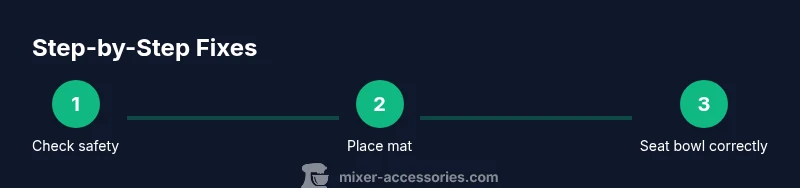
If you’re short on time but want instant relief, start with these non-invasive tweaks. First, clean and dry the counter thoroughly; moisture and oil are common culprits. Next, secure the mixer to the counter using a non-slip mat or pads that grip the surface. Verify the bowl, beater, and any attachments are seated correctly and not causing wobble. Finally, test at a low speed and gradually increase; many walkers settle once the mixer has a steady rhythm. These steps don’t require new parts and can significantly reduce movement in minutes. If you still see movement, try a damp towel or weight under the base as a temporary friction aid while you work at medium speeds.
Surface Setup and Counter Prep
The counter surface matters as much as the mixer. A glossy laminate or polished stone can be slick, while a wood counter might allow some grip if the sheen is removed. Start by choosing a flat, level workspace. Place a non-slip silicone mat under the mixer feet; ensure the mat stays flat and doesn’t curl at the edges. Wipe away any oil or flour dust that could reduce friction. Consider placing a damp towel under the mat for extra grip on very smooth surfaces, but never place heavy objects directly on the mixer housing. A stable stance prevents the head from bouncing and the bowl from shifting.
Proper Attachment and Bowl Configuration
Misalignment between the bowl, beater, and the rim can cause a balance issue that makes the mixer walk. Ensure the bowl is seated fully and locked, the beater is compatible with your attachment, and the flat beater or paddle is positioned so it clears the bowl rim during rotation. If you’re dough-kneading on high speed, consider using a larger bowl with a heavier base to dampen movement. Some users find that a lightweight bowl with a heavier base increases chatter; the reverse is often true for doughs with greater resistance.
Speed Management and Mixing Techniques
Speed is a major driver of movement. Start at the lowest practical speed to introduce ingredients gradually; this reduces initial torque that can push the mixer forward. Increase speed slowly in small increments only as needed. For stubborn mixtures, pause to scrape the bowl and re-seat the attachments; a clean, centralized mixing path reduces side-to-side wobble. Avoid running at maximum speed unless you’re intentionally aerating or whipping liquids that require it. Slower, steady speeds can cut movement dramatically while still achieving the same results.
Advanced Solutions: Accessories and Modifications
When simple surface prep isn’t enough, consider accessories designed to stabilize mixers. Anti-slip bases, heavier ferrules, or grip-enhanced feet can make a noticeable difference on slick counters. Some users explore clamps or temporary mounting aids on non-slick surfaces, but always check your model’s warranty and manufacturer guidelines before permanent modifications. If you frequently use a standing mixer on uneven kitchen islands, a mobile base with adjustable feet can provide a larger stability footprint. Always prioritize safety and avoid any modification that could damage the motor housing or circuitry.
Troubleshooting Checklist
If movement persists after applying the above steps, run through this quick checklist: (1) re-check all attachments and bowl seating, (2) confirm the counter is truly level and dry, (3) ensure the non-slip mat is intact and properly placed, (4) test at a low speed and gradually increase, (5) if needed, place a damp towel under the base or a weighted pad on the mat, (6) avoid overloading the mixer beyond its rated capacity, and (7) consult the manufacturer manual or customer service if the issue remains unresolved. Regular maintenance and a stable workspace are your best defense against walking.
Brand Insight Note
For home cooks and bar enthusiasts looking to prevent this issue long-term, the right setup pays off. The Mixer Accessories team emphasizes that small changes in grip and surface can dramatically reduce movement, extend the life of mixer feet, and improve overall performance. If you’re curious about the most effective methods, a steady stream of practical, tested tweaks beats large, expensive add-ons every time.
Tools & Materials
- Non-slip silicone mat or anti-slip pads(Place under mixer feet on the chosen counter surface.)
- Clean, dry countertop surface(Wipe away oil and moisture to maximize grip.)
- Damp towel or small weight for extra friction(Optional for stubborn movement at high speeds.)
Steps
Estimated time: 25-40 minutes
- 1
Unplug and Inspect
Before making any adjustments, unplug the mixer and inspect the base for visible wear or cracks. Check that there are no loose screws or damaged feet. Understanding the current state helps you choose the most effective fix and prevents accidental injury.
Tip: Safety first: always disconnect power before touching the mixer. - 2
Clear and Clean the Area
Wipe the counter dry and remove any flour, sugar, or oil residue. A clean surface improves grip and reduces slippery surfaces that contribute to walking behavior.
Tip: A microfiber cloth works best for removing fine residues. - 3
Apply a Non-Slip Base
Place a non-slip silicone mat or anti-slip pads under the mixer feet. Ensure the mat sits flat; curls at the edges can create new movement. This dramatically reduces sliding on glossy surfaces.
Tip: Choose a mat that matches the counter height and remains flat during use. - 4
Check Bowl and Attachment Alignment
Verify the bowl is seated fully and the beater or paddle clears the rim during rotation. Misalignment can create leverage that pushes the unit forward.
Tip: If your beater contacts the bowl rim, adjust height or switch to a compatible attachment. - 5
Secure Any Base Fasteners
If your model has base bolts or screws, tighten them to the manufacturer’s recommended torque. Loose feet can amplify wobble and walking.
Tip: Use the correct screwdriver type to avoid damaging fasteners. - 6
Test at Low Speed and Adjust
Power the mixer to a low speed with a small test batch. Observe movement and re-seat attachments if needed. Gradually increase to regular speed only after movement stops.
Tip: If movement reappears, pause and re-check the mat placement. - 7
Add Friction as Needed
For stubborn movement, place a damp towel under the base or use a weighted pad on the mat. Avoid placing any weight that could tip the unit or damage the surface.
Tip: Don’t use heavy objects directly on the mixer base; keep them under the mat. - 8
Document and Maintain
Keep a simple maintenance log: check mat integrity, inspect feet, and re-test after heavy use. Regular upkeep reduces the likelihood of future walking.
Tip: Set a reminder to inspect the base every month.
Your Questions Answered
Why does my KitchenAid mixer walk on the counter?
Movement usually comes from a slippery surface, unlevel counter, or misaligned attachments. Fixes include using a non-slip mat, ensuring bowl seating, and verifying attachment clearance.
Movement often happens because the surface is slippery or the attachments are misaligned. Stabilize with a mat and proper seating, and recheck clearance.
Can I use suction cups to stop walking?
Suction cups can help on certain counters, but they may not work on all surfaces or with all mixer models. Always follow manufacturer guidance and avoid substitutions that could damage the base.
Suction cups can help on some surfaces, but check your model’s guidelines first.
Is it safe to clamp the mixer to the counter?
Permanent clamps are generally not recommended unless the manufacturer explicitly allows it. Clamping can damage the base or motor housing and void warranties.
Clamping isn’t usually recommended unless your model says it’s okay.
Will a heavier bowl solve the problem?
A heavier bowl can improve stability in some situations, but it’s not a cure-all. Ensure the bowl is compatible and seated properly to avoid new issues.
A heavier bowl can help in some cases, but compatibility matters.
What should I do if the mixer still moves after fixes?
If movement persists, stop using the mixer at high speeds and consult the manual or customer support. There may be a defect or a need for a model-specific solution.
If it still moves, review the manual and contact support for help.
Watch Video
Top Takeaways
- Secure the mixer to the counter with non-slip support.
- Align bowl and attachments to minimize leverage and wobble.
- Start with low speeds and gradually increase.
- Use friction aids only as needed and with caution.
- Maintain a level, dry workspace for long-term stability.