What to Do If Your Blender Crashes: Quick Troubleshooting Guide
Urgent, step-by-step guide to troubleshoot blender crashes. Quick checks, safety tips, and fixes to restore performance and prevent future jams.


Most blender crashes stem from power faults, overheating, or a jam. Quick fix: unplug the unit, let it cool for 10–15 minutes, and inspect the cord and outlet for damage. Check that the jar is seated, the blade assembly is unlocked, and the lid interlock is clean. If it still won't start, proceed to the diagnostic flow.
Why Blender Crashes: Common Causes
Blenders crash for a handful of repeatable reasons, especially in home kitchens. Understanding them helps you apply the right fix quickly. According to Mixer Accessories, the three most frequent culprits are power issues, overheating, and blade jams. A jam or misalignment triggers the safety interlock, and the motor shuts off to protect components. Overheating can trip thermal fuses, particularly on high-speed cycles or when blending dense mixtures. Power problems include a damaged cord, worn plug, or a loose outlet connection. Less common but real causes include worn drive couplings and capacitor faults. By diagnosing the root cause, you can apply the appropriate fix rather than guessing. This approach reduces downtime and extends the blender’s life, keeping your kitchen running smoothly.
For context, many crashes occur because the blender is asked to process more than it can safely handle in one go. Pulsing in short intervals, using smaller batches, and avoiding oversized chunks can prevent overload. While not every issue requires a new part, addressing the symptom at its source saves time and money. The Mixer Accessories team emphasizes a systematic check, starting with power, then cooling, then mechanical interlocks.
Safety note: never attempt repairs with the unit plugged in. If you smell burning, see smoke, or hear abnormal noises, stop immediately and unplug before inspecting further. Regular maintenance, like cleaning seals and vents, reduces the chance of future crashes and extends motor life.
Pro tip from the field: keep your blender's user manual handy; many interlock issues are resolved by reseating the jar and ensuring the lid is properly locked before startup.
Safety First: Immediate Steps You Should Take
Before you poke around, prioritize safety and reset the scenario. Unplug the blender and remove the jar to prevent accidental blade starts. Never attempt disassembly while it’s powered. Inspect the cord for cuts or exposed conductors and test the outlet with another device to ensure it’s supplying power. Check that the jar is properly seated and that the blade assembly is unlocked and free to rotate. Clean the lid interlock and any sensors; dust or sticky residues can falsely trigger safety checks and shut the unit down. If you notice a burning odor, unusual buzzing, or visible damage, stop immediately and seek professional help. After performing these checks, reassemble carefully and perform a short, empty run to confirm basic function before reintroducing ingredients.
Diagnostic Flow Overview
This section outlines a practical flow you can follow to determine the cause of a blender crash and apply the correct fix. Start with the simplest checks and progress to more involved interventions only if earlier steps don’t resolve the issue. The flow below is designed to be easy to follow, with clear decision points and safe next steps.
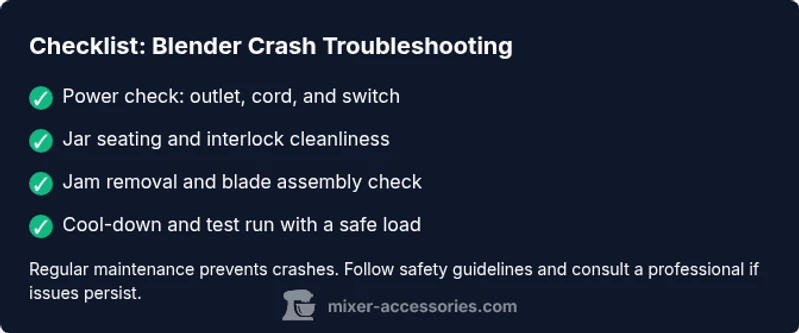
- Confirm power and basic operation: outlet, cord integrity, and switch behavior.
- Inspect cooling and heat indicators: ventilation, fan noise, and thermal fuse status.
- Check mechanical interlocks: jar seating, blade lock, and lid interlock cleanliness.
- Examine for jams or obstructions: inspect blades and drive coupling.
- Test with a small, safe load after reassembly to verify operation.
- If unresolved, escalate to professional service for electrical or motor concerns.
Safety reminder: if you’re ever uncertain, stop and consult a technician. Preventive maintenance reduces recurrence.
In our troubleshooting workflow, the most common fixes target power delivery, overheating mitigation, and interlock reliability. The goal is to restore a safe, repeatable operation rather than a one-off workaround.
Step-by-Step Fix for the Most Common Cause: Jam or Overload
- Power down and unplug the blender. Remove the jar and inspect for any visible jam around the blades. Clear any large chunks gently with a wooden spatula while the unit is unplugged. Tip: never use metal tools to pry under the blades while plugged in.
- Re-seat the jar and verify the blade assembly is properly installed and turns freely by hand. If the blade sticks, remove and clean the blade assembly, then reassemble.
- Check the interlock area: wipe away residue from the lid interlock and ensure it engages fully when the jar is seated. Tip: interlocks are sensitive to alignment; misalignment is a common cause of shutdowns.
- Reconnect the power supply and perform a short test run with water or ice only on a low speed setting. Listen for abnormal sounds or stutters. Tip: start with a pulsed blend to avoid re-overloading the motor.
- If the motor runs but overheats quickly, switch to shorter bursts and allow cooling breaks every 20–30 seconds until you achieve a consistent blend. Tip: overloading is often the root cause of overheating.
- If the blender still refuses to start, inspect the drive coupling and motor mounting for wear or looseness. If you notice damage, cycling the unit may harm other components; seek professional service.
Estimated total time for this fix: about 20–40 minutes, depending on jam severity and accessibility. When in doubt, consult a professional rather than forcing the unit to operate under load.
Handling Overheating and Electrical Issues
Overheating is a frequent cause of crashes, particularly with dense blends or frequent high-speed runs. Let the unit cool for at least 10–15 minutes before attempting another operation. Ensure the motor vents are clear of dust and that you’re not blocking airflow with the base or cord. If the thermal fuse trips, the blender will shut down; resetting typically requires cooling and reassembly, not a simple press of a button. Electrical faults, such as a frayed cord or damaged plug, call for immediate replacement of the cord or professional service. If you notice sizzling sounds, melting plastic, or a burning smell, unplug immediately and discontinue use.
Prevention tips include using smaller batches, alternating between pulse and steady speeds, and avoiding the use of extremely hard or frozen ingredients. Regularly inspect the power cord and outlet, and replace damaged components promptly. If you suspect a deeper electrical fault, do not attempt repairs beyond basic checking; professional service is essential to avoid shock or fire hazards.
Maintenance to Prevent Future Crashes
To reduce the risk of future blender crashes, commit to a simple maintenance routine. Clean the blade assembly and seals after each use to prevent residue buildup that can affect interlocks. Keep the vents free of dust and debris, and inspect the drive coupling for wear every few months. Use the blender in a stable, level position on a heat-tolerant surface, and avoid blending hot liquids unless the manufacturer explicitly allows it. Run on shorter bursts with moderate speeds to minimize heat generation, and always allow the motor to rest between long blends. By incorporating these habits, you’ll extend the life of your blender and maintain consistent performance over time.
Note: if you’re frequently encountering crashes, consider a service check for wear on internal bearings, brushes, or switches. A professional can diagnose subtle electrical faults that aren’t obvious during home troubleshooting.
When to Call a Professional Help
If you’ve completed the diagnostic flow and the blender still cranks but fails to operate reliably, it’s time to call a professional. Signs you should seek help include persistent overheating, unusual noises, burning smells, or a motor that won’t reset after cooling. A qualified technician can test electrical components, inspect the motor, and replace worn parts like drive couplings or capacitors. Don’t risk personal injury or device damage by attempting advanced repairs beyond your comfort level. Booking a professional service early can prevent more costly repairs later.
Quick-Tips & Warnings
- Always unplug before disassembly or blade handling. Always wear safety glasses when inspecting the blade area. - Do not run a blender with damaged cords or plugs. - Avoid forcing the jar into place if not aligned; re-seat gently and retry. - Regular cleaning of interlocks and seals reduces nuisance shutdowns. - When in doubt, seek professional service promptly to avoid further damage.
Steps
Estimated time: 30-60 minutes
- 1
Power check and safety prep
Unplug the blender; inspect the cord and outlet. Ensure the outlet works with another device and the switch is clean. Prepare to open only if you’re comfortable and the unit is cooled. Proofread: safety first.
Tip: Always unplug before handling blades. - 2
Open and inspect for jams
Remove the jar and check for obvious jams around the blades or in the blade assembly. Clear debris with a wooden tool if necessary. Re-seat the jar securely before testing.
Tip: Do not use metal tools near blades. - 3
Check interlocks and seals
Wipe the lid interlock and seating area to remove residue. Confirm the interlock engages fully when the jar is in place. A misaligned interlock is a common cause of shutdowns.
Tip: Interlocks are sensitive to alignment; take your time. - 4
Test run with a safe load
Plug in, run a short, pulsed cycle with water or ice to verify movement without a full blend. Observe for noises, stalling, or overheating.
Tip: Start with short pulses to prevent overload. - 5
Address overheating
If the motor heats quickly, switch to brief pulses and allow cooling breaks. Clean vents and ensure nothing blocks airflow.
Tip: Do not push through heat; heat is a sign to stop. - 6
Inspect drive system and decide on next steps
Look for wear in drive coupling or loose motor mounting. If you see wear or damage, plan for professional service rather than continuing to use the unit.
Tip: Document symptoms to aid the service visit.
Diagnosis: Blender won’t start or stops mid-blend with a burning smell or tripping breaker
Possible Causes
- highPower issue (outlet, cord, or switch)
- highOverheating motor or safety thermal fuse trip
- mediumBlade jam or jar misalignment triggering interlock
- lowDamaged or worn drive coupling or motor brushes
- lowElectrical fault or capacitor issue
Fixes
- easyTest outlet with another device; inspect cord for damage; replace damaged cord
- easyLet blender cool for 10–15 minutes; remove jam; reseat jar and blade assembly
- easyClean and reseat lid interlock; ensure jar is fully seated before operation
- mediumCheck for loose motor mounting or worn drive coupling; replace if needed
- hardIf electrical faults are suspected, have a technician inspect capacitors and wiring
Your Questions Answered
Why does my blender stop working in the middle of a blend?
The most common causes are a safety interlock trigger, a jam, or an overheating condition. Start by unplugging, reseating the jar, and clearing any jam before trying again. If the problem persists, follow the diagnostic flow.
Common causes are the safety interlock, a jam, or overheating. Start by unplugging, reseating, and clearing jams, then retry or move to the diagnostic flow if needed.
Is it safe to use a blender after overheating?
If the blender overheats, allow it to cool completely before attempting another blend. Avoid running it at high speeds with dense loads until temperatures stabilize. If overheating recurs, seek professional inspection.
If it overheats, let it cool and avoid heavy blends until it stabilizes. Seek professional help if it keeps overheating.
What should I check first if the interlock won’t engage?
First ensure the jar is fully seated and the lid is properly locked. Clean any residue around the interlock contacts and test again. If it still fails, inspect the interlock mechanism for wear and replace if necessary.
Make sure the jar is seated and the lid is locked, clean the interlock, and test again. If it still fails, the interlock may need replacement.
How can I prevent blender crashes in the future?
Follow regular maintenance: clean seals and vents, use small batches, pulse blends for tough ingredients, and inspect cords and outlets for damage. A consistent routine reduces crash incidents significantly.
Keep up with cleaning, blend in small batches, and inspect the power cord to prevent future crashes.
When should I replace my blender instead of repairing it?
If repeated issues persist after professional service, or the motor/wiring shows signs of significant wear, replacement is often more cost-effective than ongoing repairs.
If problems keep coming back after service, replacement is usually smarter than ongoing repairs.
Watch Video
Top Takeaways
- Unplug and cool before inspecting components
- Check power, interlocks, and jar seating first
- Address jams and overloads with safe, methodical fixes
- Know when to seek professional help