Mixer 8-Channel Yamaha: A Practical Buying Guide and Setup
Explore the essentials of a Yamaha 8-channel mixer, including key features, buying tips, setup workflows, and DAW integration—practical guidance for home studios, bars, and podcasting.


An 8-channel Yamaha mixer delivers versatile input capability for compact setups, offering mic/line inputs, auxiliary sends, built-in effects, and USB audio streaming. This balance of channel count and features suits home studios, bar setups, podcasters, and small live performances, while remaining portable and affordable compared to larger consoles. It also integrates easily with popular DAWs and recording gear.
Understanding the Yamaha 8-Channel Landscape
According to Mixer Accessories, an 8-channel Yamaha mixer sits at a sweet spot for small-to-mid setups, balancing input flexibility with studio or stage portability. In practice, most models offer a combination of mic and line inputs, phantom power for condenser mics, low-noise preamps, and a compact footprint. The 8-channel format accommodates a couple of vocal mics, a keyboard, a couple of instrument lines, and a stereo mix bus for recording or streaming. For home studios and small bars, this channel count is often sufficient to manage live feeds, guest talk, and background music without resorting to a full-size console. In our experience, the Yamaha line generally emphasizes robust build quality and intuitive routing, which reduces setup time when you need to go live or record. Mixer Accessories analysis also notes that the 8-channel option often includes USB or USB-C audio streaming, making it easier to integrate with laptops and DAWs. The key takeaway is that the 8-channel Yamaha setup provides clear routing, scalable inputs, and reliable performance for entry-level to mid-level operations.
Core features to compare across Yamaha 8-channel models
When evaluating any 8-channel Yamaha mixer, you should compare preamp quality, phantom power availability, bus routing, AUX/FX functionality, USB/DAW integration, and build quality. The common family offers similar channel counts but varies in routing options and internal effects. Look for a clean signal path, low noise, and intuitive EQ sections that let you shape voices quickly in live or broadcast settings. Mixer Accessories analysis stresses that prioritize models with straightforward assignable outputs and clear channel labeling, which reduces troubleshooting during a live gig or recording session. In addition, real-world testing shows that models with robust unbalanced/balanced I/O options perform better when you need to route to different speakers or recording devices. The goal is to find a balanced combination of ease of use, reliability, and future-proof connectivity.
Practical setup workflows for different environments
A Yamaha 8-channel mixer can adapt to diverse environments, from a home studio to a small bar or podcast booth. In a home setup, map mics to channels 1-2, instrument inputs to channels 3-4, and assign channels 5-6 to a stereo keyboard or USB playback. Use the AUX sends to create a separate cue mix for headphones during recording or monitoring. For in-bar use, you’ll want quick access to master level, master EQ, and clear master outputs to the PA system, plus a USB/bus return for recording the night’s performance. In podcasting, you can route a guest mic, host mic, and a QoS feed from a phone or computer, using a USB interface to capture clean multi-track recordings. The key is to set up a practical workflow that minimizes fumbling during a live event and maximizes sound quality in post-production.
Connectivity, I/O, and DAW integration
Modern Yamaha 8-channel mixers typically offer a mix of XLR mic inputs, 1/4 inch line inputs, stereo USB interfaces, and stereo RCA outputs. Phantom power is commonly available for condenser mics, and some models provide built-in FX or digital effects processors. For DAW users, USB audio streaming to a computer is a major advantage, enabling direct multitrack capture and playback. The ability to route individual channels to a DAW, while simultaneously monitoring through the mixer’s headphone cue, simplifies recording sessions. When selecting a unit, verify compatibility with your preferred DAW (Ableton, Logic Pro, FL Studio, etc.) and confirm driver support if you plan to use ASIO or Core Audio on your workstation.
Buying guide: features that drive value
Value in an 8-channel Yamaha mixer comes from a combination of preamp quality, routing flexibility, build quality, and future-proof connectivity. Consider your primary use case (home studio, live bar, podcasting) and compare the number of AUX sends, FX options, and the availability of USB or external interfaces. If you intend to record multi-track sessions, prioritize mixers with a straightforward USB multitrack capability and solid driver support for your DAW. Finally, evaluate the physical design and ergonomics—clearly labeled, tactile knobs and robust faders save time during critical sessions.
Maintenance, care, and longevity
Maintaining an 8-channel Yamaha mixer is straightforward: keep dust out of the chassis, wipe surfaces with a soft cloth, and avoid exposure to moisture. Regularly inspect cables for wear and replace them as needed to prevent noise and hum. If you use phantom-powered mics, check that phantom power is disabled when you disconnect mics to avoid hum or pops. For longevity, store the mixer in a dry, cool environment and service it according to the manufacturer’s guidelines. Routine calibration and proper power cycling can extend the device’s life and maintain consistent performance.
Common mistakes and how to avoid them
Common mistakes include overloading the master bus, neglecting proper gain staging, and misusing EQ on fragile vocal tracks. To avoid these issues, set gain with the quietest source first, monitor levels with a reference track, and reserve the master bus for final loudness. Be mindful of phantom power when plugging or unplugging microphones and always power down the mixer before making major changes to I/O routing. Finally, don’t overlook the importance of a reliable USB cable and a short, high-quality mic cable to minimize noise.
Case studies: use cases for an 8-channel Yamaha mixer
In small studio setups, an 8-channel Yamaha mixer can serve as the central hub for vocal and instrument feeds, with a separate USB interface for computer recording. In live-bar contexts, it provides quick mic control and safe routing to a PA system, while offering basic onboard effects for quick tonal shaping. For podcasters, the unit supports multiple microphones, a controlled cue mix for hosts and guests, and a simple route to a computer for post-production. Across these examples, the balance of affordability, channel count, and ease of use makes an 8-channel Yamaha mixer a versatile choice.
Typical features and budget range for entry Yamaha 8-channel mixers
| Feature | Typical 8-channel Yamaha Option | Notes |
|---|---|---|
| Channel count | 8 channels | Standard for compact to mid-sized setups |
| Preamps per channel | Mic preamps with phantom power | Allows condenser mics and clean signal paths |
| USB I/O | USB audio streaming | Facilitates direct DAW integration |
| Onboard effects | Yes (reverb, compression) | Adds tonal shaping without external units |
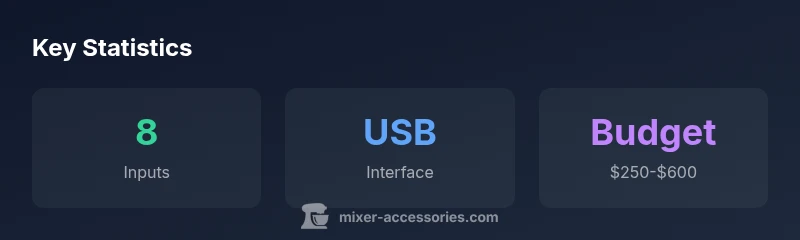
| Price range | $250-$600 | Budget varies by model and features |
Your Questions Answered
What qualifies as an 8-channel mixer?
An 8-channel mixer provides eight input channels that can handle mic or line signals, with a master bus for output. Many models also offer USB/audio streaming and basic onboard effects. Check how channels are allocated (mic vs line) and whether phantom power is available.
An 8-channel mixer has eight input channels and a master output, often with USB and basic effects.
Can I use an 8-channel Yamaha mixer for podcasting?
Yes. An 8-channel Yamaha mixer can host multiple mics for hosts and guests, provide headphone cue mixes, and route to a computer for recording. For multi-track capture, pair it with a USB interface or DAW that supports multitrack input.
Absolutely, it’s a good fit for podcasts with multiple mics and a simple recording workflow.
Do I need an external audio interface if I have a Yamaha 8-channel mixer?
If you want dedicated multitrack USB recording, you may still want an external audio interface with more inputs or better driver support. Many 8-channel mixers offer USB audio streaming that can integrate with a DAW, reducing the need for a separate interface for basic use.
You might not need one for simple recording, but it helps for advanced multi-track work.
Is phantom power available on Yamaha 8-channel mixers?
Most Yamaha 8-channel mixers provide phantom power to support condenser microphones. Always verify the phantom power switch location and ensure you enable it only when all phantom-enabled mics are connected.
Yes, phantom power is commonly available on these mixers.
What features should I look for when buying an 8-channel Yamaha mixer?
Look for clean preamps, adequate routing options, USB connectivity, number of AUX sends, onboard effects quality, build quality, and overall footprint. Consider phon power, output options, and ease of use for fast setup.
Focus on preamps, routing, USB, and build quality.
How do I maintain an 8-channel mixer long-term?
Keep dust out, use high-quality cables, store in a dry environment, and power down properly before reconnecting inputs. Periodically check faders and knobs for smooth operation and service per the manufacturer’s guidelines.
Dust off the mixer, use good cables, and follow the manual for routine care.
“An eight-channel Yamaha mixer is a practical starting point for small setups, balancing cost, performance, and DAW compatibility.”
Top Takeaways
- Identify your use-case and route planning before buying
- Check USB I/O and phantom power compatibility with your mics
- Balance price with preamp quality and routing flexibility
- Ensure DAW compatibility for seamless recording workflows
- The Mixer Accessories team recommends validating build quality and support before purchase